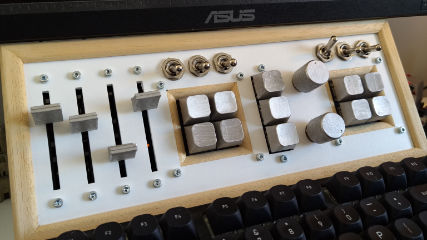
I made a PC ‘control panel’ allowing applicaion level volume control, media control, monitor display mode and brightness control and more. The project builds upon the open source project ‘deej’1.
Functionality
deej only implements the per application volume control with the potentiometers, but I extended the capablities of the system to include buttons and switches as well.
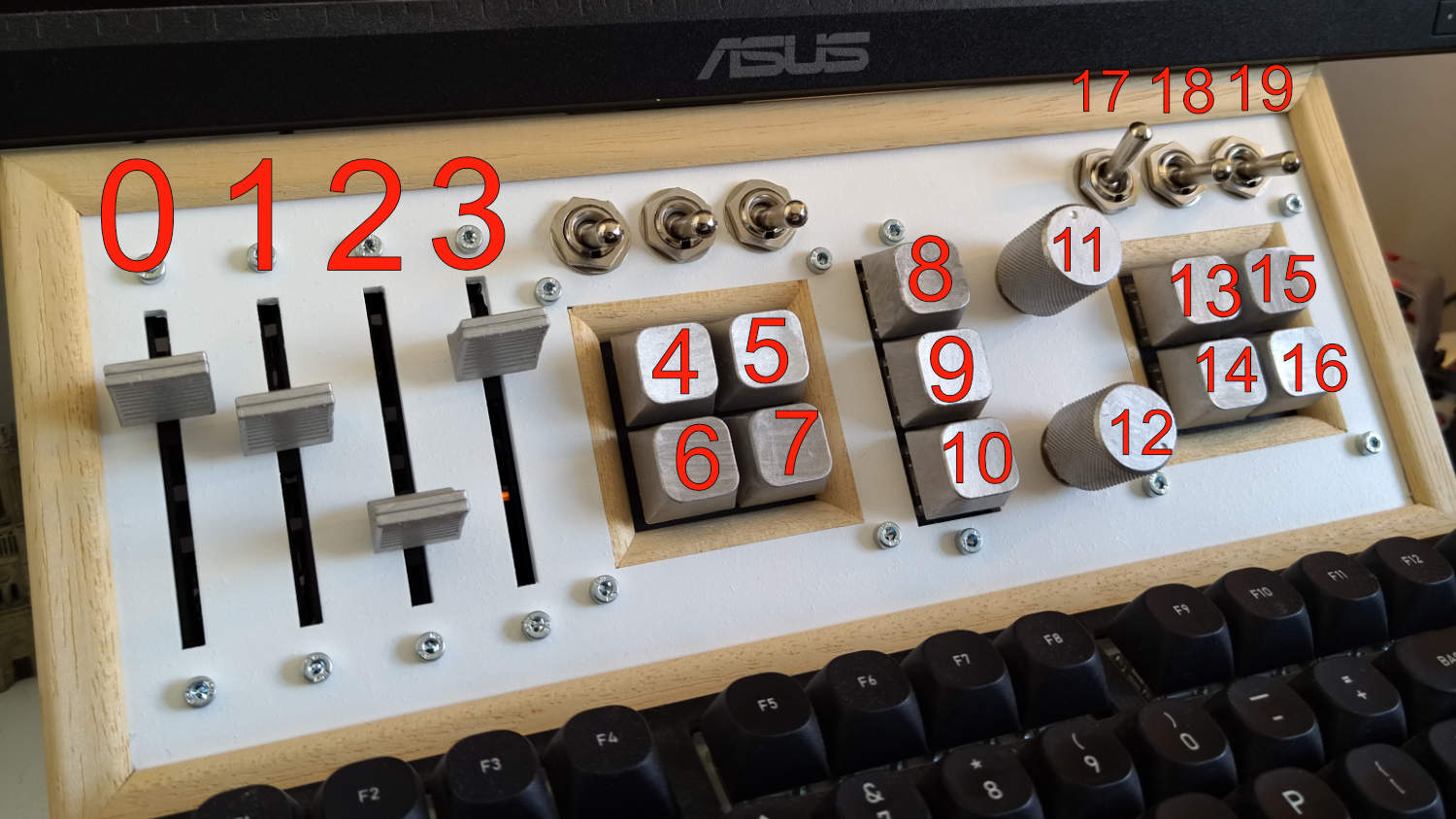
Functionality diagram reference
Sliders 0-3
They control the master computer volume, Spotify voulme, browser volume and all other apps volume.
Buttons 4-7
They can be mapped to run terminal commands, open apps or open specific websites in browser.
Button 8
Used to trigger the PC shutdown countdown (the computer shuts off after a set amount of time). The time is set with the Knob 11 (range is from 0 min to 60min). The button is linked in hardware to Switch 17, if the switch is not on, the button is not active. This is set up to prevent accidental presses that would shut off the computer.
Buttons 9 and 10
These two buttons are used to select different monitor display profiles (Blue light filter mode for regular use and Rec. 709 mode for color accurate mode).
Knob 11
Used to set the shutdown countdown duration (See Button 8).
Knob 12
Used to control the brightness of the monitor.
Buttons 13-16
Media buttons, used to skip a track, go to previous track, play/pause and open Spotify.
Switch 17
Used as a failsafe switch, wired in parallel with Button 8.
Switch 18
Used to toggle on/off a VPN connection.
Switch 19
Hardware webcam shutoff switch. It is connected to two simple USB breakout boards (input and output) and the switch interrupts the power line. So when a webcam is connected through it and the switch is off, camera is also off (for sure).
Three unnumbered switches
No funciton, not wired to anything. The Arduino board I used didn’t have enough I/O, but I left the switches in in case I want to upgrade in the future. Also because the board would look empty withoiut them there and the switches came in a pack.
Design & Build
The project was designed in Onshape, and the design is available is available2 in case you want to see it or modify it for your purposes. Everything, including the wiring was designed in CAD so the assembly process would be clean and easy.
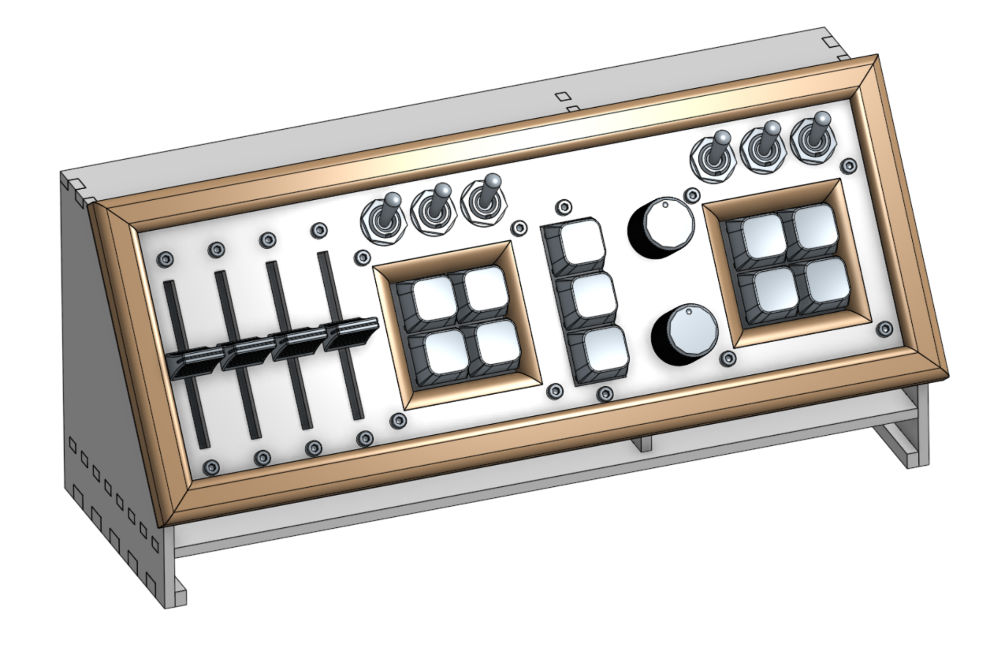
CAD Front
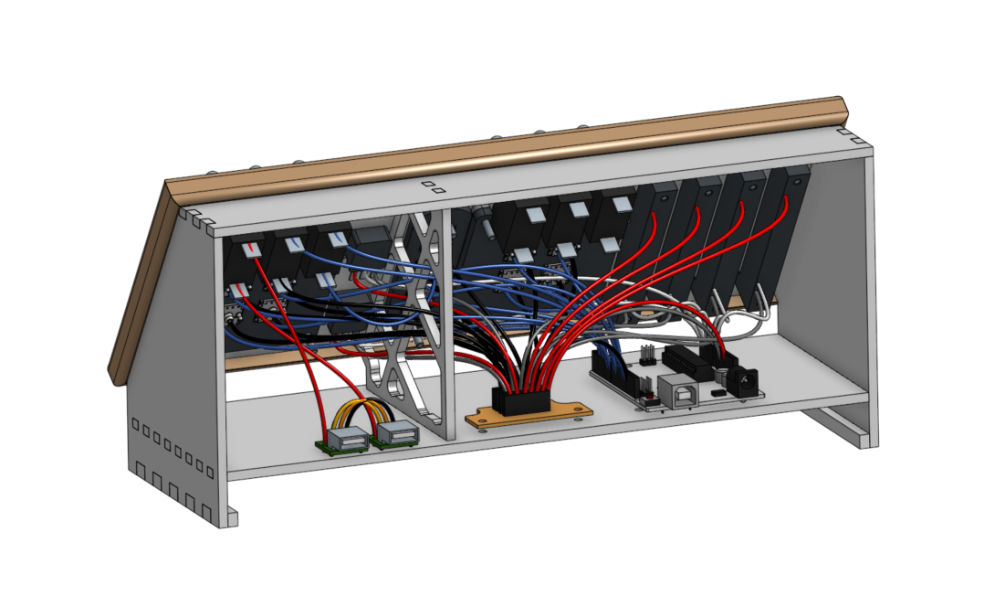
CAD Back
The frame was mostly made with laser-cut MDF (spray painted white), made prettier with some hand cut wooden trim. I used linear potentiometers for slider and rotary ones for knobs. Buttons are cherry mx brown keyboard switches 3. The brains of the control panel is an Arduino Uno. The button, slider and knob covers were 3D printed and painted to be silver. The design of the enclosure was designed to fit tightly over the stand of the monitor I use (Asus ProArt PA279CV), so that’s how it is fixed in place.
Software
As mentioned before, the software is based on the deej1 project. There is a simple Arduino firmware that tracks the status of the potentiometers and buttons, and sends that data to the PC via USB serial. Then there is a companion app running on the PC that reads that data and does stuff with it (like change volume, open apps…). Both the Arduino firmware and the companion app had do be modified to accomodate the new functionality. The modified code you can find on Github4.
The more difficult parts of the modifications were to enable VPN connection through wireguard. For that the app needs to be started with administrator priviliges, so it is auto started with task scheduler on Windows. This can sometimes be buggy and the app needs to be started manually, I don’t know why. Another challenge was implementing the control of the monitor. It is controlled with DDC/CI, and to correctly communicate with my monitor, I had to do some trial and error with which commands to send to set the correct monitor profiles.
References
-
Onshape Design: https://cad.onshape.com/documents/3d5165aa824e17ed783c0301/v/a0748815f4f98cb6fc5b54ee/e/60d04f379d54e76f55110f3a ↩︎
-
Cherry MX Browns: https://www.cherry.de/en-gb/product/mx2a-brown ↩︎
-
deej-plus: https://github.com/llukad/deej-plus ↩︎